 PriceSafe
PriceSafe quick start
From first preview to safe rollback
PriceSafe changes Shopify product prices in bulk while keeping the exact value every affected variant held before the change. Start with a small selection, inspect the preview, and expand only after the result matches the promotion you intend to run.
No customer or order access is required. PriceSafe requests only Shopify’s write_products permission.
1. Select the products
Open Bulk Price Editor and narrow the catalogue by collection, tag, vendor, product type, title, or product status. Filters are applied to the complete run, not only to the rows visible in the preview.
2. Define the price rule
Choose whether to change the price or compare-at price, then select:
- decrease or increase by percentage;
- decrease or increase by a fixed amount;
- set an exact value;
- keep the exact result or round to .99, .95, or a whole number.
When changing the selling price, you can also copy the current price to compare-at price so the storefront can show the markdown.
3. Preview before writing
Select Preview changes. PriceSafe shows the total number of matching products and a sample of affected variants with their old and new values. If the selection or arithmetic is wrong, change the filters or rule before applying anything.
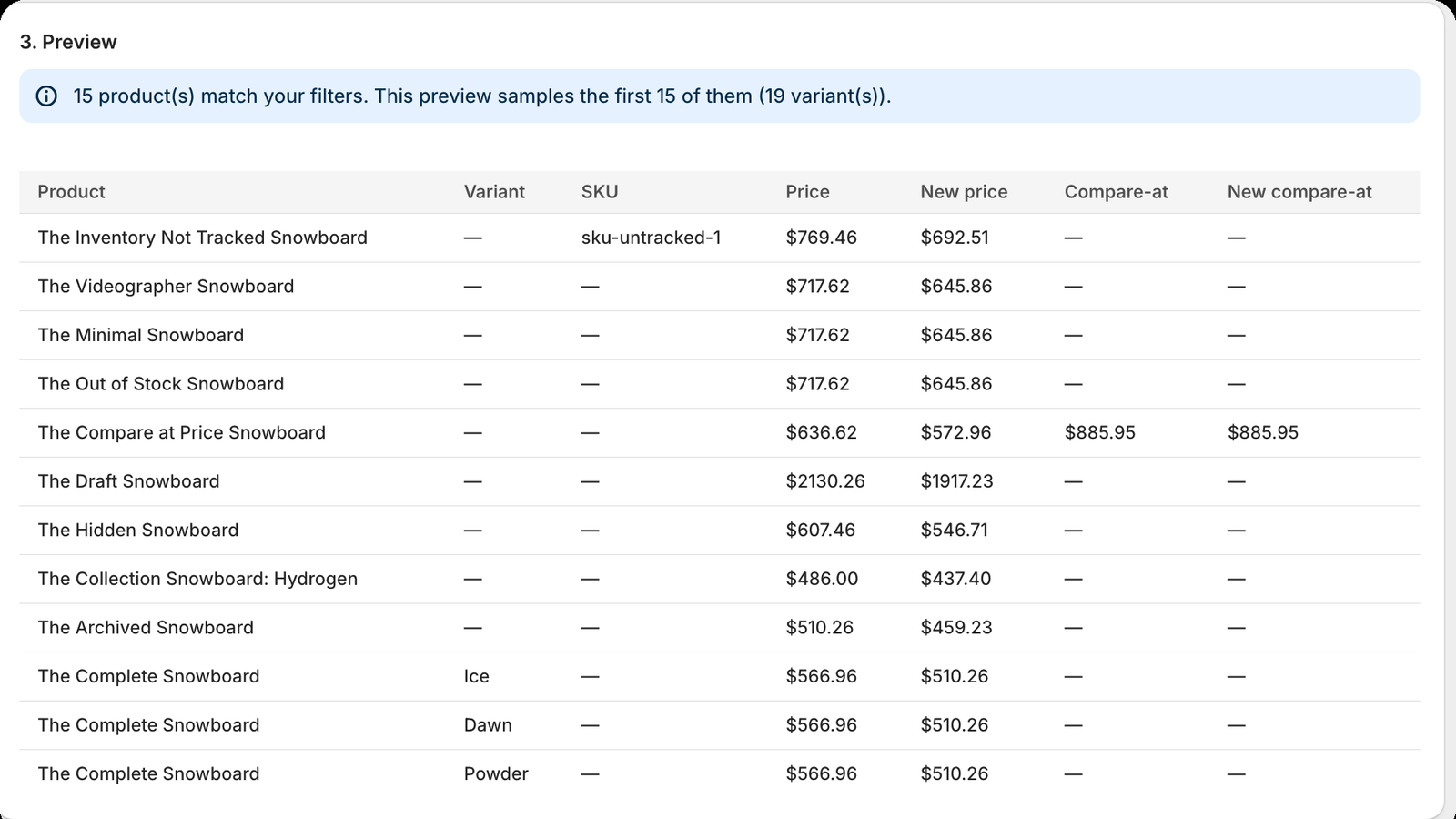
4. Apply now or schedule the sale
Free-plan changes run immediately. Basic and Pro can run immediately or at a future date and time, with an optional automatic revert. All times use the Shopify store’s configured timezone.
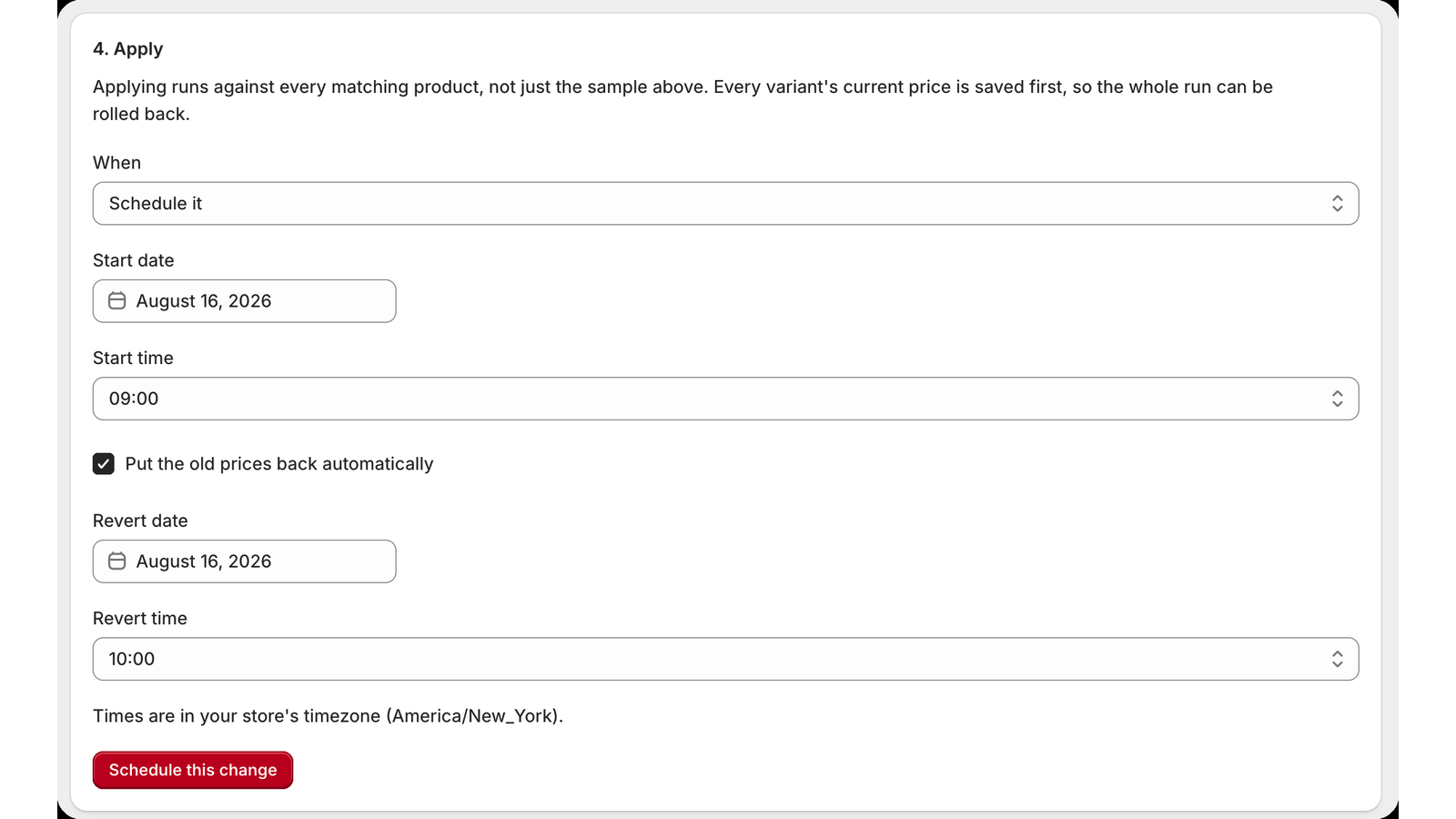
5. Monitor the complete run
The job page records every applied variant and lists failures separately with a reason. A stopped or partially failed run remains visible in All changes so it can be reviewed instead of silently disappearing.
6. Roll back safely
Select Roll back this change on a completed job. PriceSafe restores the saved values rather than recalculating them. If another app or a staff member changed a variant after the original run, that variant is held back and reported.
You can then choose Restore these anyway or Leave them as they are. This prevents a routine rollback from quietly overwriting newer work.
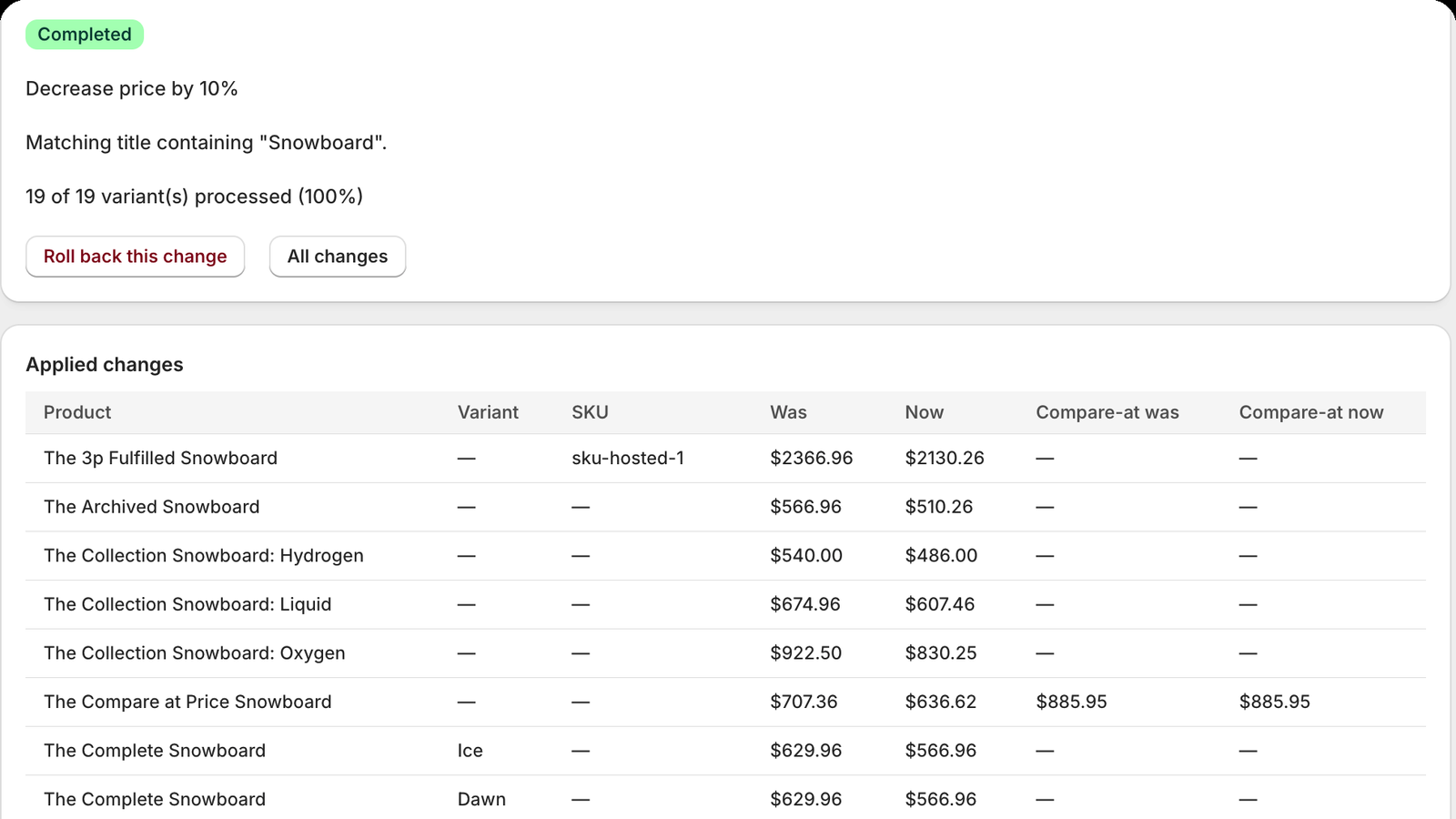
Before a large promotion
- Run the exact rule on a small collection first.
- Check storefront price and compare-at-price presentation.
- Schedule activation and rollback together.
- Avoid overlapping edits from staff, ERP systems, or other apps.
- Review the completed job and any drifted variants after the sale.
Need help?
Read the frequently asked questions, or email support@gitvim.com with the store domain and the step where you became stuck. Do not send an access token or password.